
PageRest
Read TXT and EPUB on Read Pico, with a local library, font management, wireless transfers, USB storage, Bluetooth page turners, and several lock-screen options.
Thank you to the PageRest developer for providing a system for Read Pico.
PageRest is a reading system for Read Pico focused on local books. It offers a cover-based library, font management, wireless book transfers, Bluetooth page turners, and lock screens showing images or saved excerpts.
Before you start
Prepare a sufficiently charged Read Pico, a computer running desktop Chrome or Edge, and a USB-C data cable. Close other webpages, flashing tools, or terminals using the device's serial port.
Install through the website
Open the website
Open the PageRest website in Chrome or Edge on your computer. Read the installation instructions for the current version and download the corresponding system image.
Choose an installation method
Use a full system image for a first installation or device recovery. If PageRest is already installed, you can choose an update that preserves data to keep settings and reading records.
Connect and flash the device
Connect Read Pico to your computer with the USB data cable and follow the website's instructions for your chosen version. Installation replaces the current system, so save any data you want to keep first.
Keep USB connected, the page open, and the computer awake until flashing finishes. Then follow the website's instructions to start the device.
Main features
Home and library
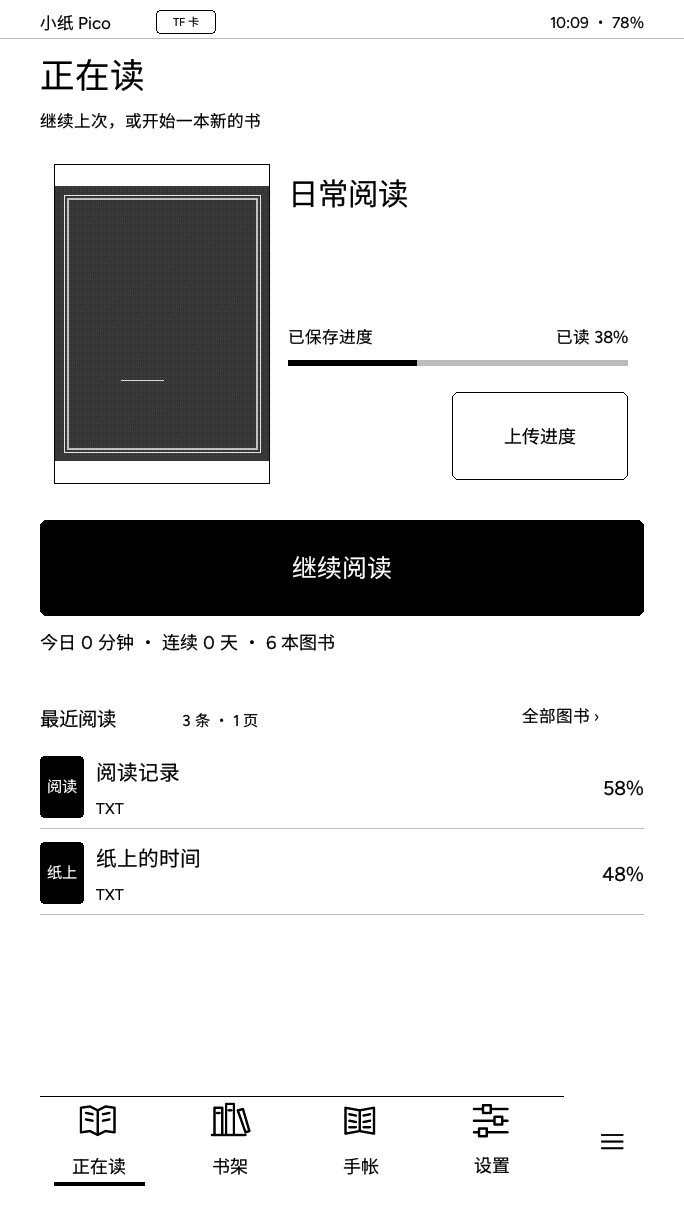
The home screen provides Continue Reading, recent books, reading progress, and access to the library.
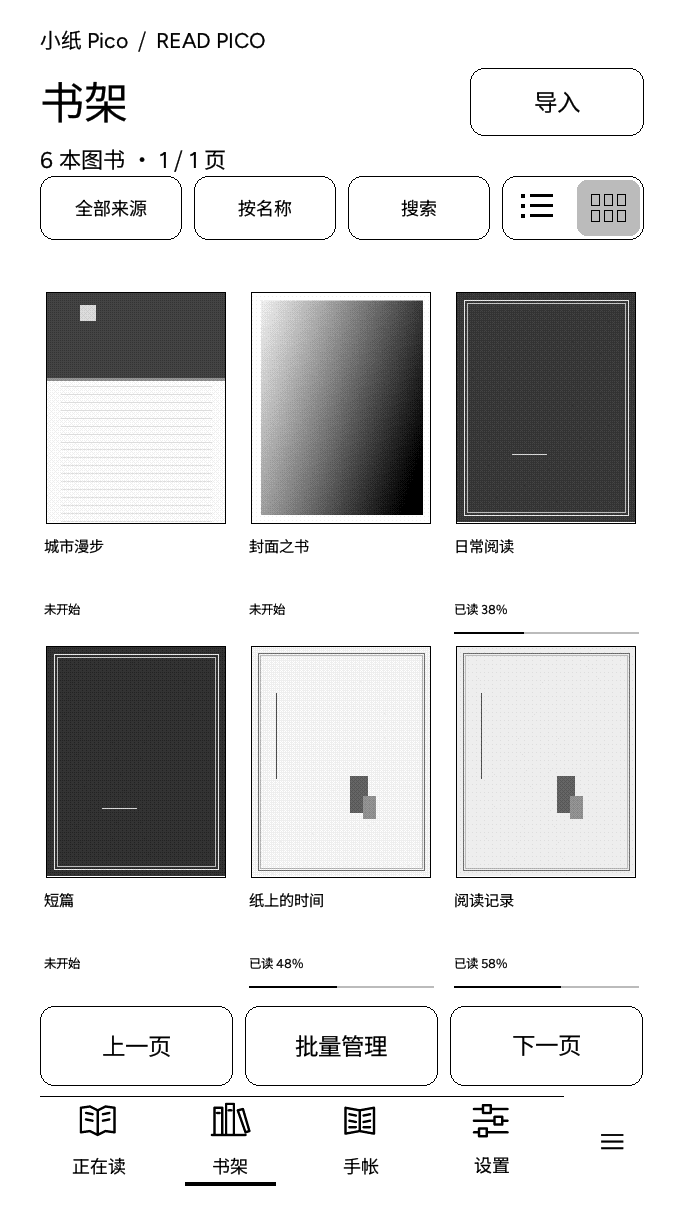
The library supports TXT and EPUB books, cover thumbnails, list and multi-cover layouts, search, sorting, source filters, batch management, and progress for each book.
Reading tools
Adjust font size, font family, line spacing, margins, first-line indentation, and paragraph spacing. The reader also provides a table of contents, bookmarks, percentage-based navigation, and reading progress.
TXT and EPUB books can both be read from local storage. EPUB supports chapter navigation and local JPEG and PNG illustrations. Use the built-in fonts or import TTF fonts from the microSD card.
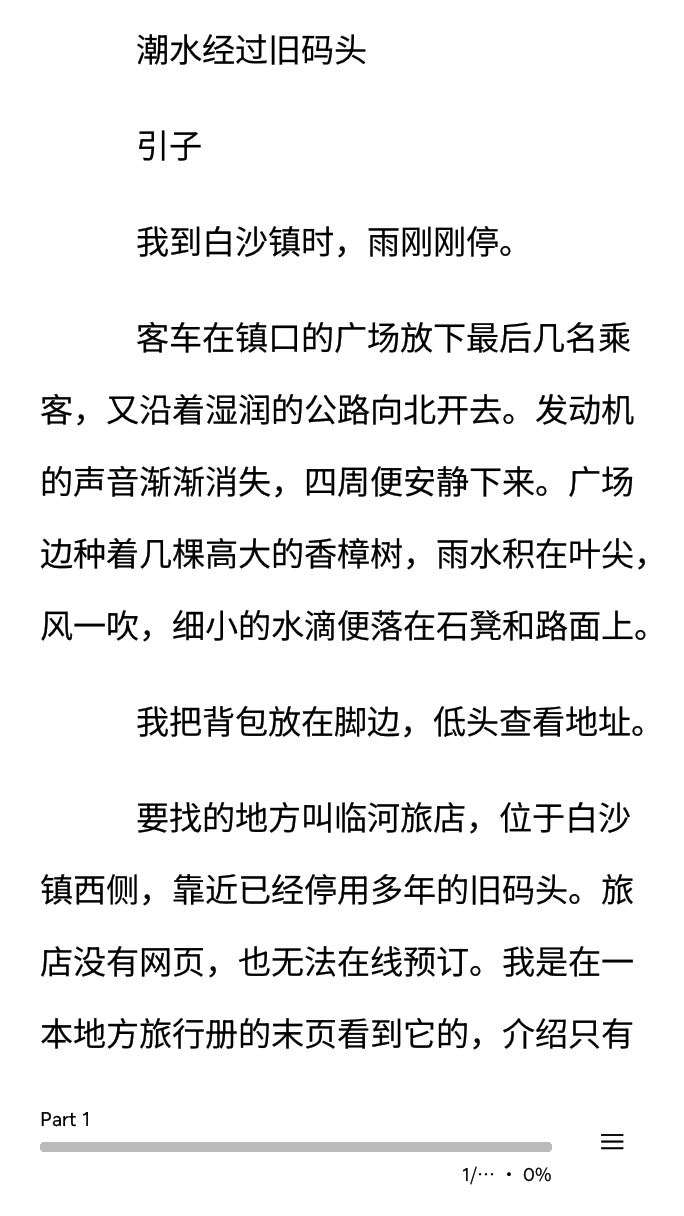
Image and excerpt lock screens
PageRest offers several lock-screen options:
- Images: use built-in images or import JPG and PNG files from the microSD card as lock-screen wallpapers.
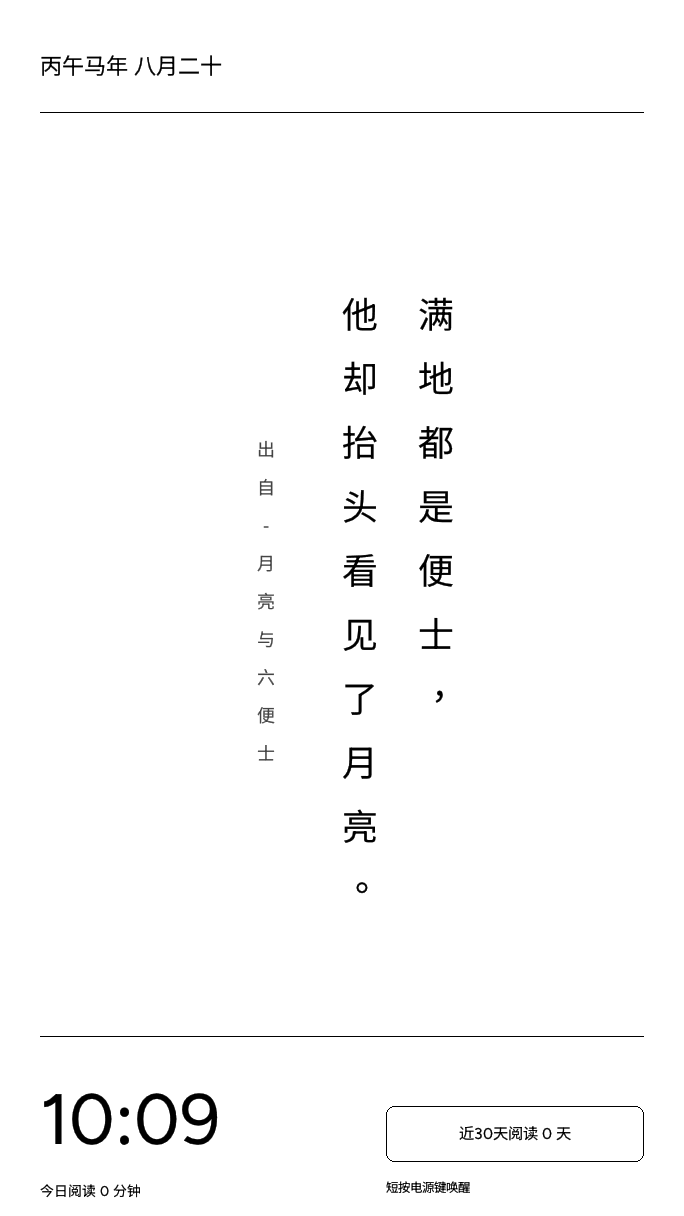
- Excerpts: display passages saved while reading, together with the book title and source information.
- Information screens: show a clock, calendar, or other simple information while the device sleeps.
Lock screens can be used with light sleep, deep sleep, or power-off settings. The device returns to the previous reading position when it wakes.
Wireless transfers and USB storage
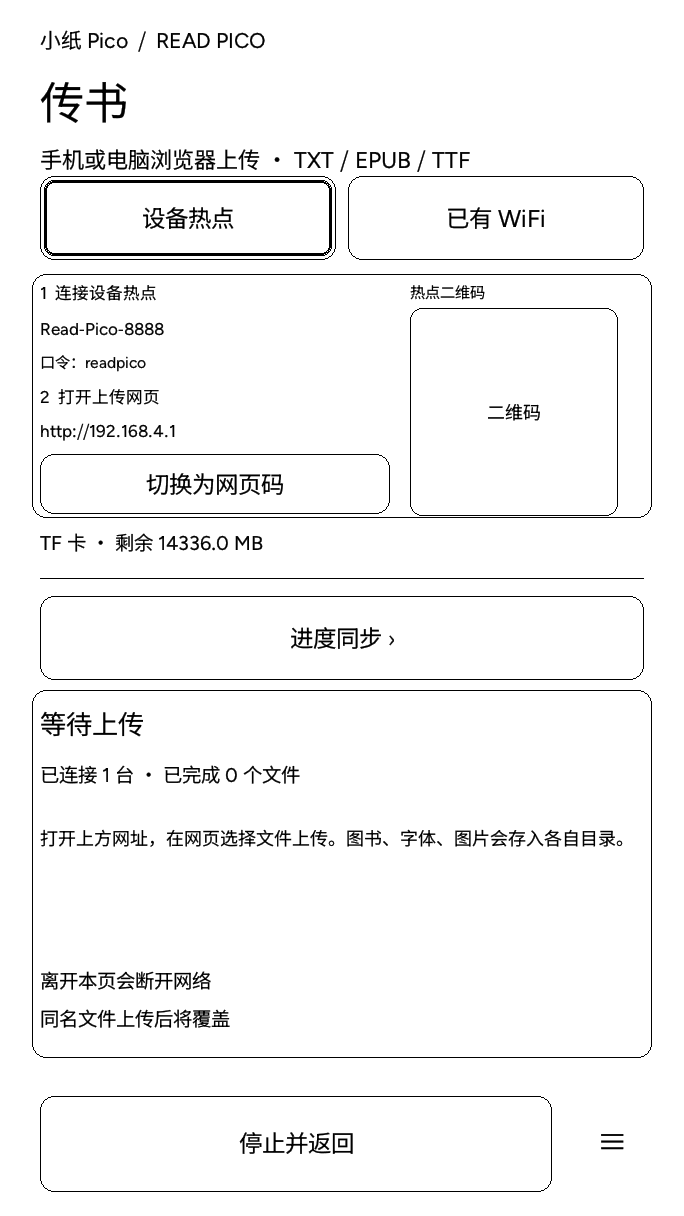
Use the device's hotspot or an existing Wi-Fi network to upload TXT and EPUB books, TTF fonts, and JPG and PNG lock-screen images from a computer or phone browser.
The transfer page provides a QR code, connection status, upload progress, and recovery from failures. You can also connect the device to a computer over USB and use its microSD card as a drive.
Bluetooth page turners
PageRest supports compatible BLE HID page turners. Configure previous page, next page, reversed direction, and lock-screen buttons.
Bluetooth controls work only while reading the book text, not in menus or settings. ESP32-S3 supports BLE only. Bluetooth Classic devices and page turners requiring a separate receiver cannot pair directly.
Screen refresh and power management
PageRest is designed for Read Pico's 4.7-inch, 16-level grayscale e-ink display. It offers standard grayscale and fast refresh modes, with an adjustable ghosting cleanup interval.
The system supports light sleep, deep sleep, and power-off modes. Lock screens can display images, excerpts, a clock, or a calendar.
Features, refresh speed, power consumption, and Bluetooth device compatibility vary by version. Refer to the website's release notes and actual device behavior.
Did this solve your problem?
Join our community