
if-ink OS
Read EPUB, TXT, and Markdown on Read Pico, download documents from Nutstore, customize the home banner, and view your reading records.
Thank you to 一凡可回收 for providing a system for Read Pico.
if-ink OS is based on kiikoread. It retains EPUB and TXT reading and adds Markdown documents, Nutstore downloads, and home-screen customization.
Before you start
Prepare a sufficiently charged Read Pico, a computer running desktop Chrome or Edge, and a USB-C data cable. Close other webpages, flashing tools, or terminals using the device's serial port.
Prepare a microSD card, up to 512 GB, formatted as FAT32.
Install through the website
Open the website
Open the if-ink OS website in Chrome or Edge on your computer and go to the web installer.
Connect and install
Connect Read Pico to your computer with the USB data cable. Follow the website's instructions to select the device and version, then install. The web installer does not require you to install Python or esptool yourself.
Flashing replaces the current system. Back up any data you want to keep first. Internal settings and reading records are not guaranteed to be compatible when migrating from another system. Keep USB connected, the page open, and the computer awake until flashing finishes.
Add books, documents, and fonts
On the microSD card, put EPUB and TXT files in books, Markdown files in markdown, and fonts in fonts. For a first installation, font and pinyin dictionary resource packs are available from the project's download page.
Main features
The images on this page combine simulator screenshots with the device's appearance and use demonstration reading data. Grayscale and refresh behavior on the actual e-ink screen may differ.
Home screen and customization
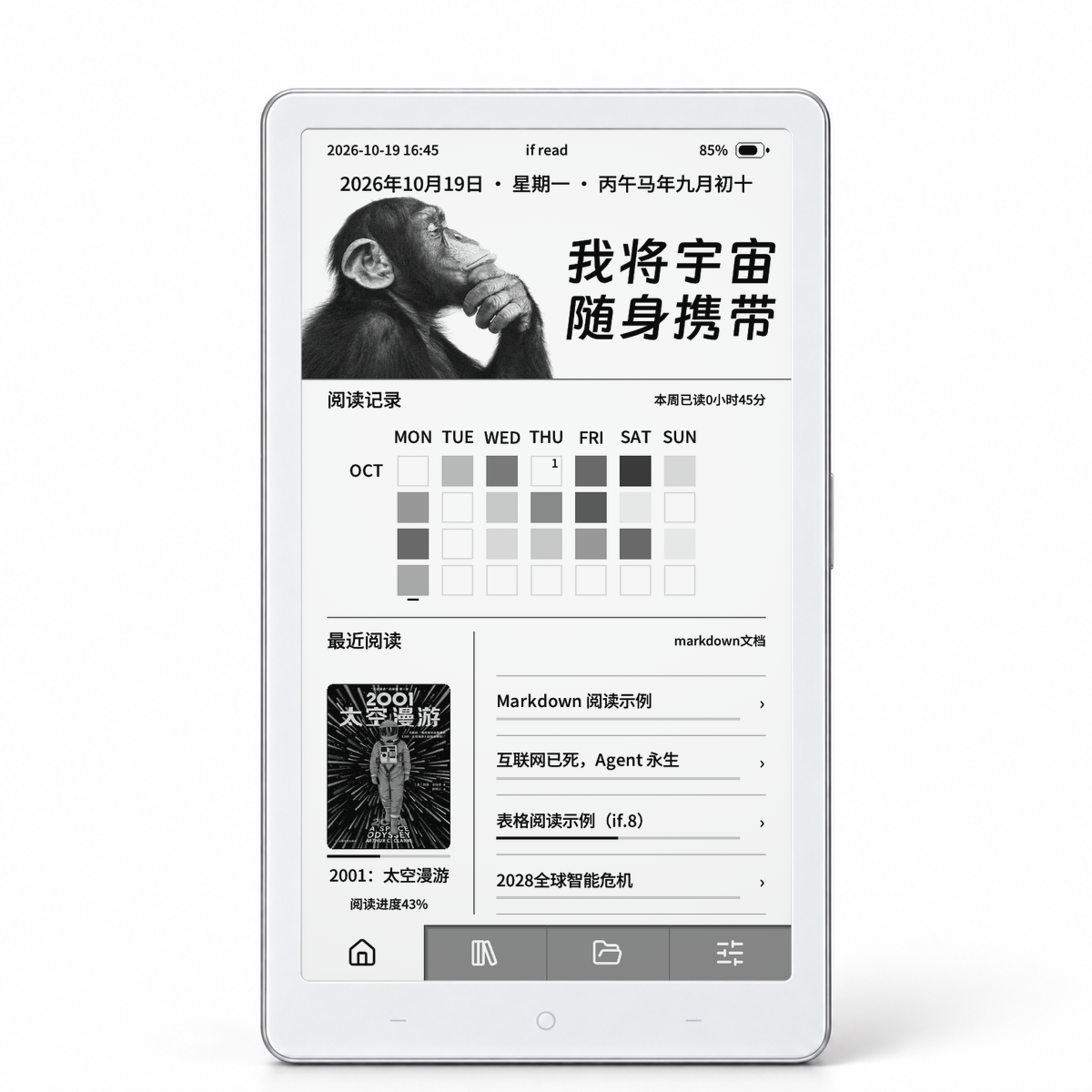
Customize the home banner's background, date, and text. The home screen shows a reading activity heatmap, daily or weekly reading time, and recent books in a two-column layout. You can adjust the system text size and fonts and rotate lock-screen wallpapers.
Books and Markdown documents
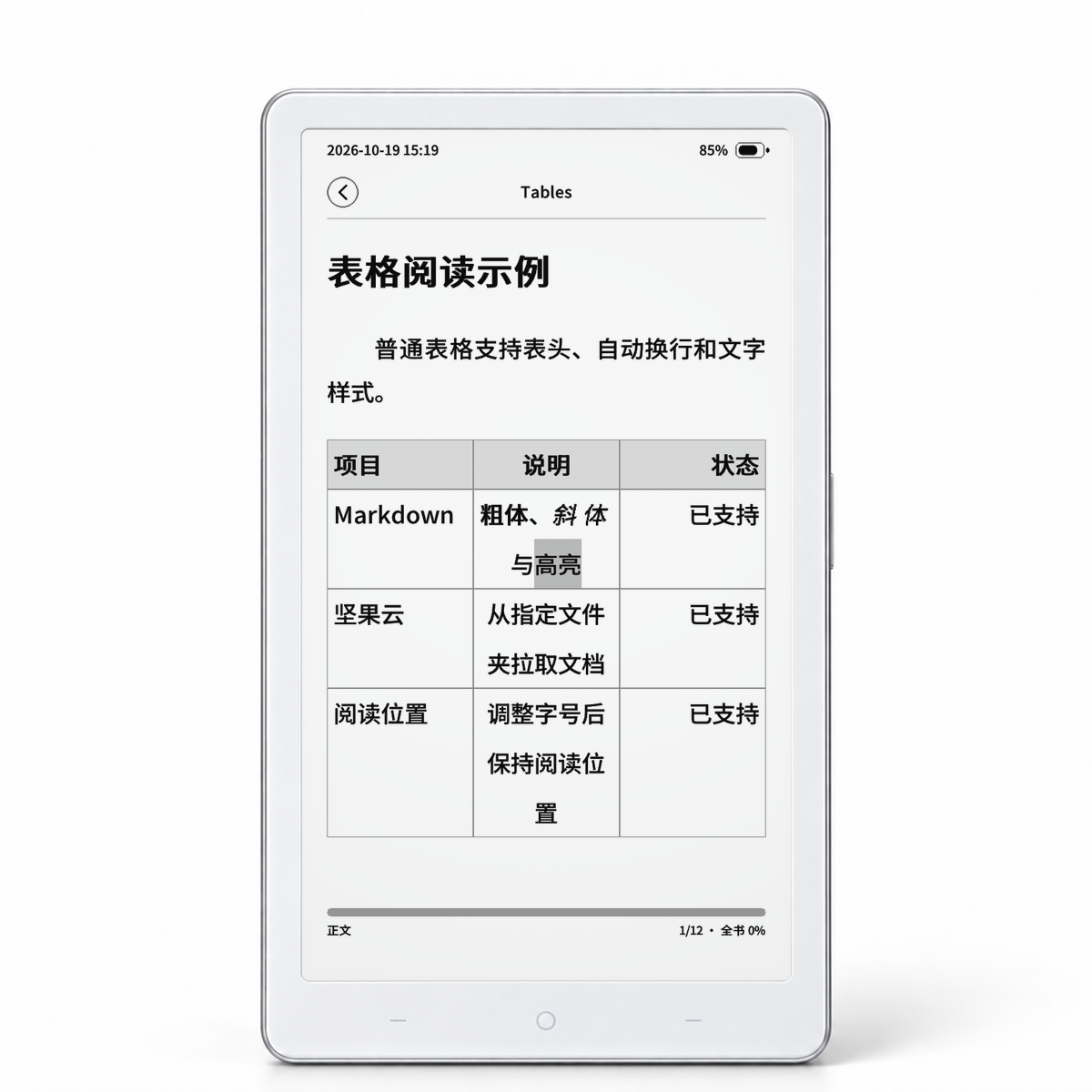
Read EPUB, TXT, and Markdown offline. Markdown supports standard pipe tables, heading sizes, bold, italics, and highlighting.
Use the reading control panel to access the table of contents, bookmarks, fonts, and layout. Configure shortcut gestures as needed and keep reading progress for each book.
Nutstore downloads and Obsidian transfers
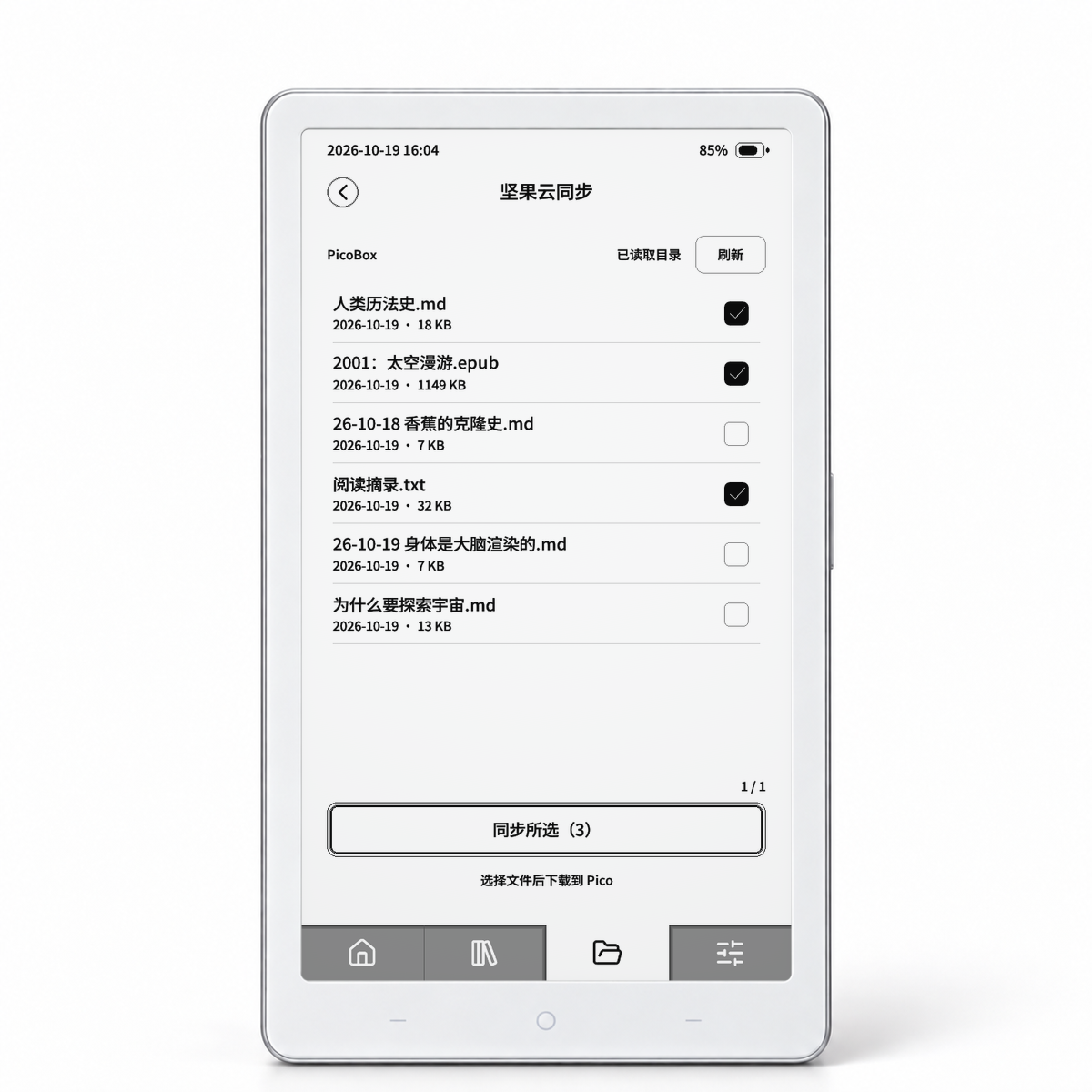
The system can list MD, TXT, and EPUB files in a specified WebDAV folder and download selected files to the microSD card.
In 设置 → 坚果云同步 (Settings → Nutstore Sync), enter your account, app password, and an existing sync folder under the Nutstore root directory. Then open the Nutstore sync page to select files for download. Generate the app password in Nutstore's third-party application management.
The companion Sent to E-ink Reader plugin can manually send selected Obsidian notes to a specified Nutstore folder for download on the device. Install the plugin separately. It sends plain Markdown text, converting images and embedded notes to text descriptions; it does not continuously sync notes automatically.
yiifanrecyclable/Sent-to-E-ink-Reader
0
Transfers and maintenance
Use Wi-Fi or a device hotspot to transfer books, connect over USB, save Wi-Fi passwords, and back up or restore settings.
Installation and Usage FAQ
Restore the Official Demo System
Other installation and update options
Besides the web installer, the system repository's Releases provide released system images, microSD update packages, offline flashing packages, and the corresponding source code. Follow the repository's installation instructions and the notes for your selected version.
If a compatible version is already installed, follow the instructions to use a microSD update package, or check for a new version under 设置 → 固件信息 → 在线升级 (Settings → Firmware Info → Online Update).
yiifanrecyclable/if-ink-OS
0
Did this solve your problem?
Join our community